
How owner onboarding works
One private link takes you from yes to a home that's ready to lease. Here's every step, what we'll ask of you, and what it costs. Read it before you sign anything.
- 20%
- of rent collected. No setup fee, no leasing fee.
- 30 days
- notice ends the agreement, from either side. Month to month, no penalty.
- 4 steps
- then a launch checklist: 17 items for you, 2 for us.
- Your pace
- Everything saves as you go, and we review each item as it comes in.
This page covers furnished mid-term homes: leases of 90 days to 12 months. Short-term homes onboard differently — ask us and we'll walk you through it.
It starts with one link
No account to create and no password to remember.
We send your invitation
Once you've said yes, we email you a private link for your home. It also tells you which items to get moving first.
You sign in without a password
The link sends a sign-in link to the email address we have for you. Holding the invitation isn't enough — it takes your inbox too.
You land on your setup page
One page shows your progress, what's next for you, and what's waiting on us. Come back to it whenever you like.
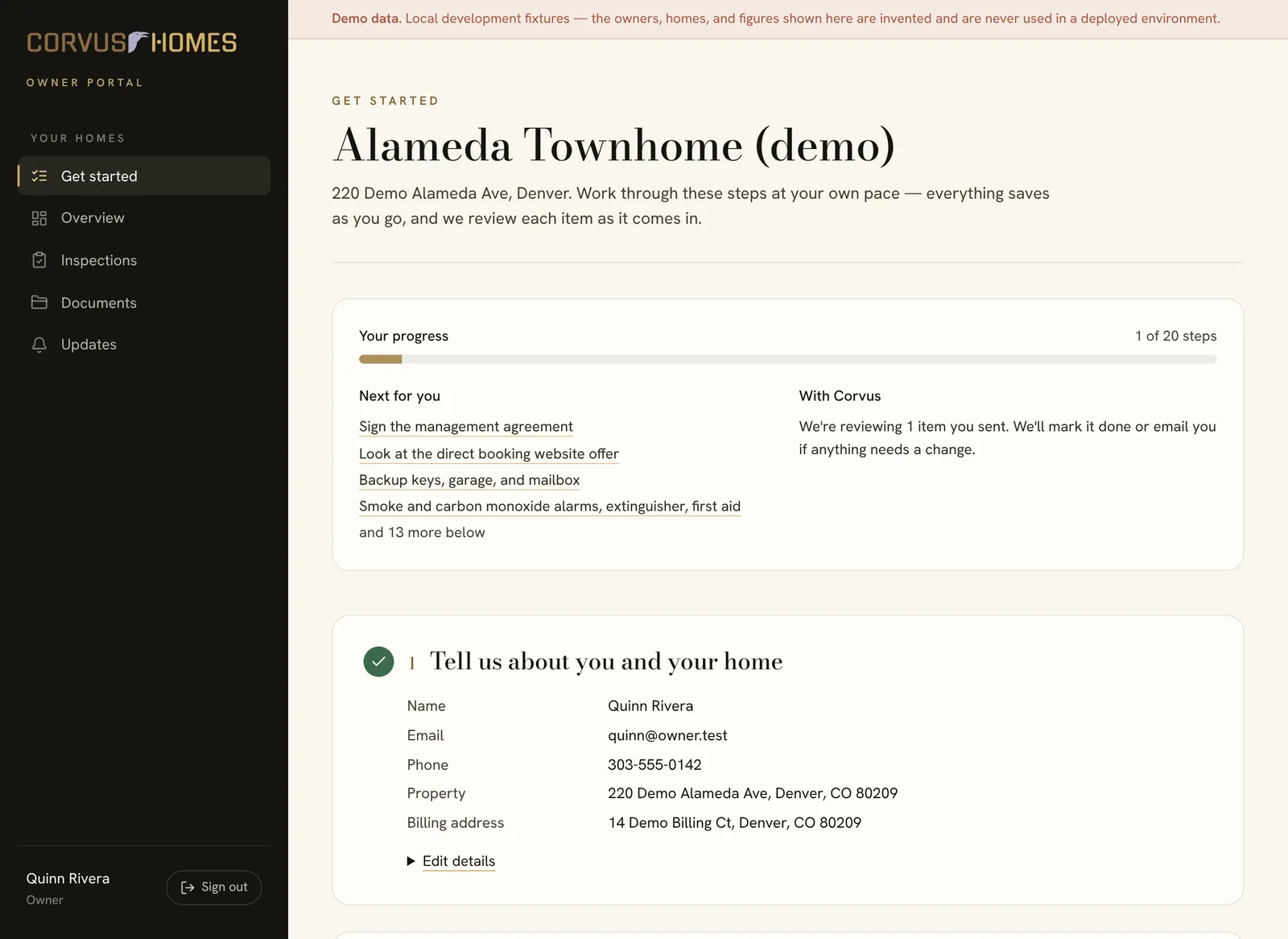
Four steps on one page
Step 1: Tell us about you and your home
Your invitation comes to your email, and you fill in the rest: your full name, a phone number, the LLC or trust that holds title if there is one, the home's address, and its bedrooms and bathrooms. Invoices go to the home unless you give another address.
- These go into the agreement exactly as you type them, which is why they come first.
You won't type it three times
What you enter here fills in the agreement, the website order, and your invoices.
Step 2: Sign the management agreement
Our standard mid-term rental management agreement, in full, on the page: 20% of rent collected, no setup or leasing fees, month to month with 30 days' notice. Read it through, then sign by typing your name.
- Showings while the home is empty are your choice. They happen only if you tick the box and initial it, and you can withdraw that later in writing.
- It's already signed for Corvus, so you aren't left waiting on a countersigned copy.
- Your signed copy is emailed to you and filed under Documents in your portal.
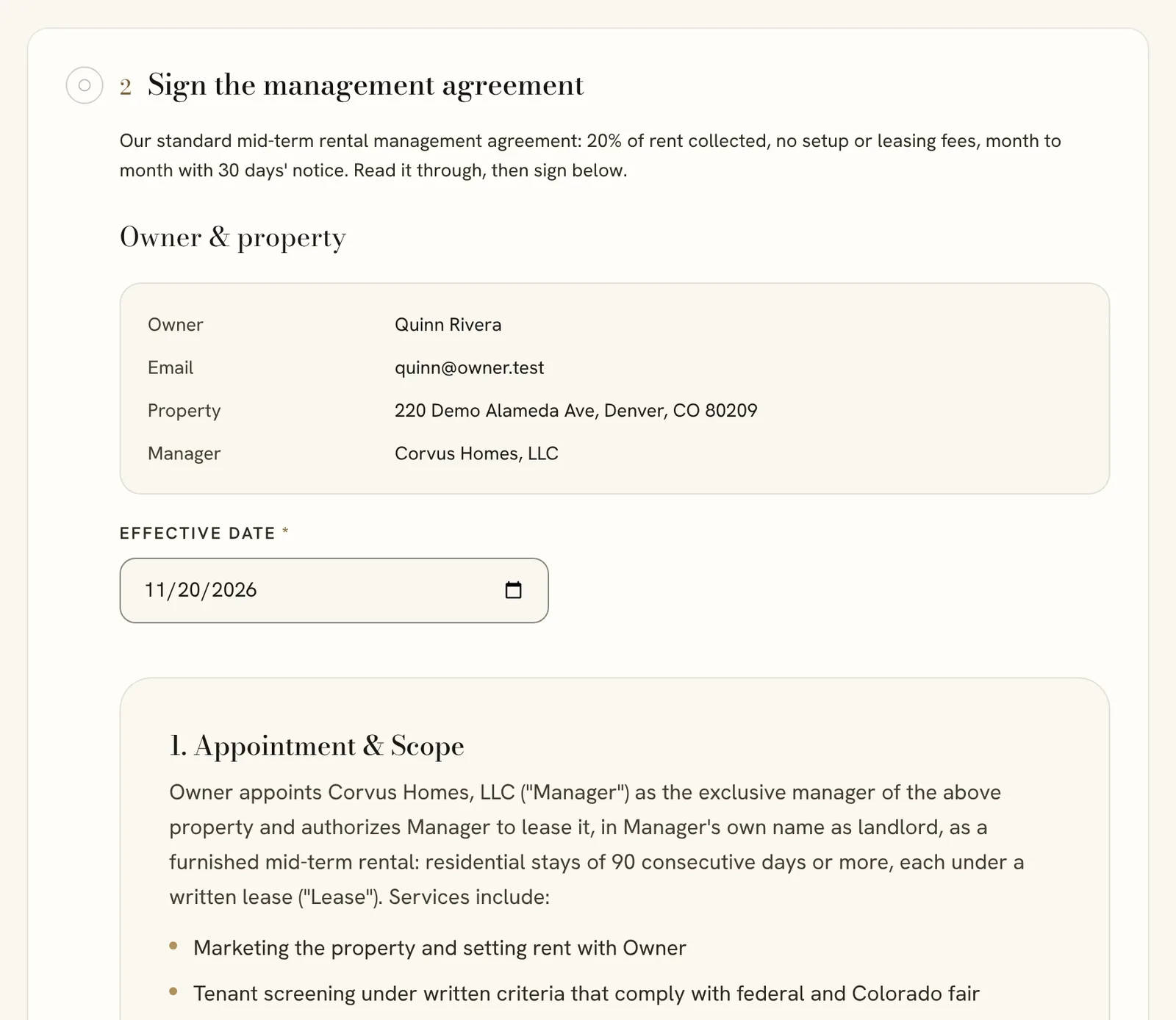
The agreement, in full, with your name and home already filled in. Example screen. The owner, home, and details are made up. Step 3: Get paid: connect Stripe
Rent for your home is collected through Corvus's tenant portal. Tenants pay rent and deposits online, straight into your own Stripe account. Our fee comes out of each rent payment, as the agreement says.
- Stripe asks for your identity, your bank account, and your tax ID on its own secure pages. It takes about 10 minutes.
- If this step isn't open yet when you start, your setup page says so. It appears there, ready to start, when it opens.
Corvus never holds your money
Rent and deposits go into your Stripe account, not ours.
Optional
Step 4: Your direct booking website
Your home's own website: a place to send traveling professionals, relocating families, and the companies that house them, so they can see the home and reach you directly instead of only finding it on listing sites.
- $1,750 one-time for a home we manage, which saves $1,225 on the standard price. Hosting and maintenance are included while we manage your home.
- Say “Not now” and the offer stays open on your page. It never holds up your launch.
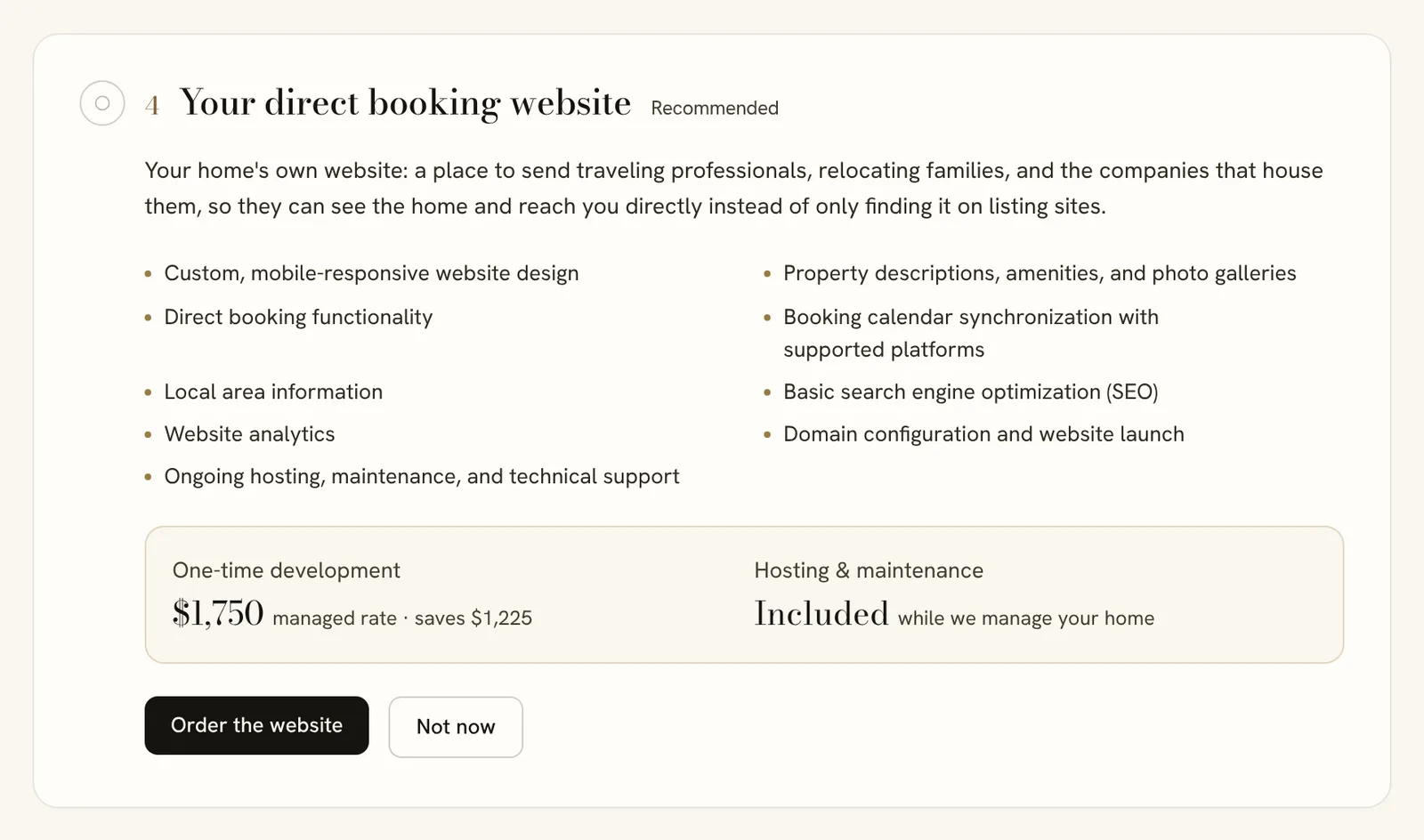
The website offer, with "Not now" beside it. Example screen. The owner, home, and details are made up.
What a mid-term home needs before its first tenant
Where each item stands
- To do
- You haven't sent it yet.
- With Corvus
- Sent, and waiting on our review.
- Needs an update
- We've emailed you what to change.
- Done
- Settled. Some items end as “Not needed.”
We never ask for a code or password in a form
No door codes, Wi-Fi passwords, or logins. You add Corvus as a user in the lock and router apps, and codes are handed over by phone.
Start these first
5 itemsThese take the longest — a policy change, a license inspection, a lock to buy and install. Getting them going early keeps everything else from waiting.
- Smart lock on the main entry, with Corvus as an admin
- Rental license or registration
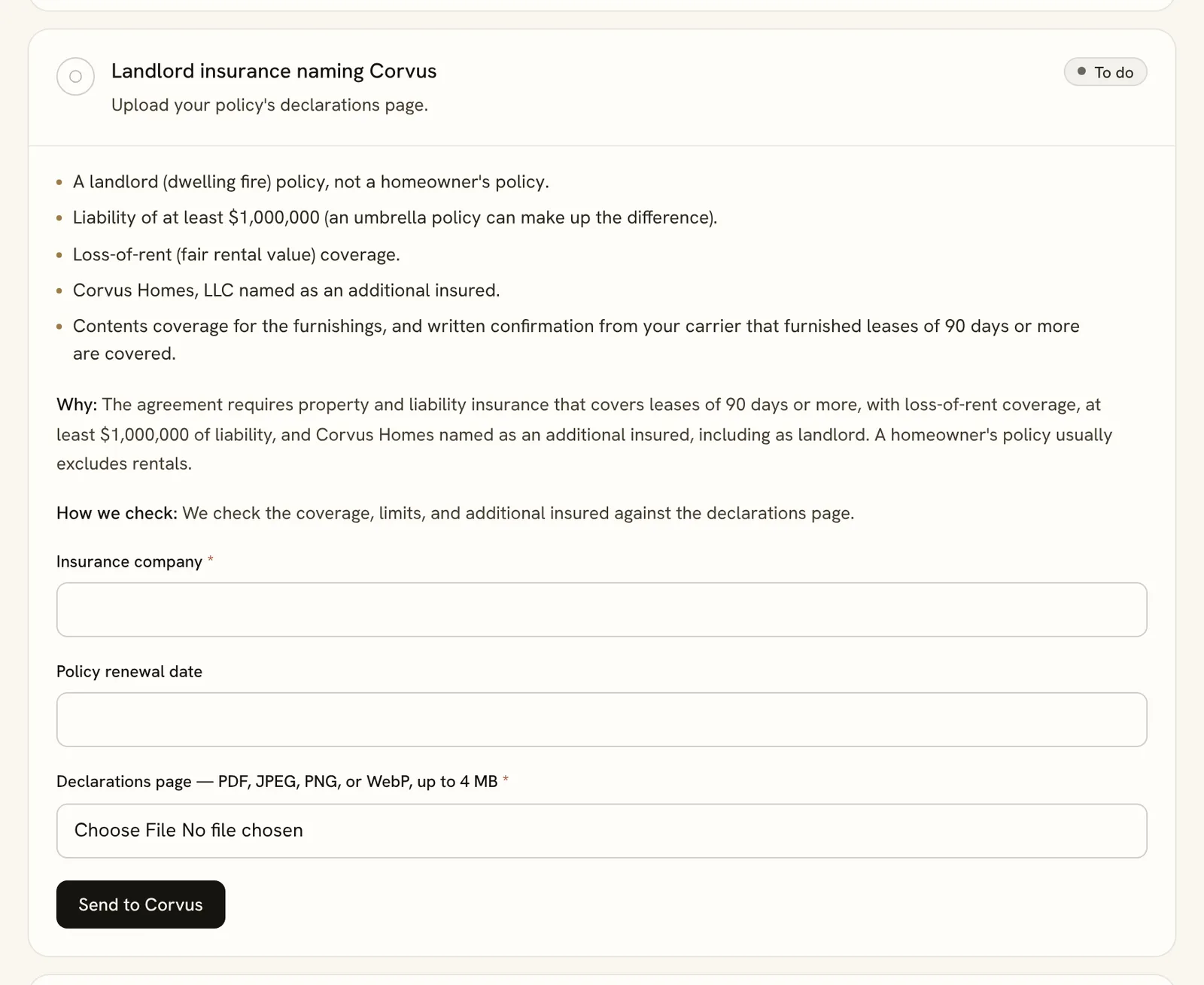
- Landlord insurance naming Corvus
- Fast Wi-Fi Corvus can manage
- Serviced, repaired, and ready to clean
Quick answers
7 itemsA few minutes each. Answer what you know; you can update anything later.
- Backup keys, garage, and mailbox
- Year built, radon, and lead paint
- HOA, lender, and insurer allow 90-day leases
- Utilities stay on in your name
- How the home works
- Vendors you already use(Optional)
- Listing photos and video
We'll check these together at the walkthrough
5 itemsRead through them so the home is ready, and tell us about anything that isn't. We check each one in person, so you don't have to certify the details.
- Smoke and carbon monoxide alarms, extinguisher, first aid
- Working systems and sound condition
- Furnished to the Corvus mid-term standard
- Starter supplies for move-in day
- Personal items removed or locked away
Corvus's steps
2 itemsOurs to do. They follow as your items come in, and you'll see each one here when it's done.
- Walkthrough and inventory
- Approve the listing terms
What Corvus does while you work
Reviews each item
We check what you send as it arrives and mark it done, or email you exactly what to change.
Walks the home with you
After you sign, we set a time to check the walkthrough items in person and record a written inventory with photos. It's published to your portal under Inspections.
Proposes the listing terms
Monthly rent, deposit, minimum stay, and available date. The rent includes internet; tenants pay the other utilities at cost. Nothing is advertised until you approve it.
Launches the home
When every required step is settled, we launch. The optional website never holds that up.
Every cost, before you sign
Management
20%of rent collected
- Charged on rent we actually collect. No setup fee and no leasing fee.
- Repairs under $500 we handle and bill to you. Over $500 needs your approval first, except emergencies and repairs the law requires to keep the home livable.
Listing photos and video
A fixed price by the size of your home. Or send your own at no charge — we'll tell you if any need retaking.
| Home size | Photos | Photos + video |
|---|---|---|
| Studio to 2 bedrooms | $300 | $650 |
| 3 to 4 bedrooms | $425 | $900 |
| 5 or more bedrooms | $575 | $1,200 |
Direct booking websiteOptional
$1,750one-time
- Hosting and maintenance are included at no charge while Corvus manages your home.
- If management ends, hosting is $35 a month.
Only if you ask us to
Each of these is yours to handle. If you'd rather we did, we invoice it at cost.
- Smart lock
- We fit a model we support and invoice the lock and labor at cost, with no markup.
- Deep clean before photos
- We arrange it and invoice the cleaner's price.
- Missing furnishings
- We send a priced list. Nothing is bought until you approve it.
- Starter supplies
- We stock the move-in set for you. Either way, we restock it between tenants and invoice that at cost too.
Yours to carry
Not Corvus charges, but part of getting ready:
- A landlord insurance policy that names Corvus Homes
- A rental license, where your city requires one
- Utilities and internet, which stay in your name. Internet is part of the rent. Tenants are billed the other utilities at cost, with no markup, and that money is paid to you.
- Servicing and any repairs the home needs before photos
Anything Corvus bills during setup arrives as an invoice with a pay link. It is never taken out of your rent.
Before you sign
Something we didn't cover? Call (+1) 303.578.9560 or email hello@corvushomes.com.
Read the agreement. Then ask us anything.
The agreement is public, and so is this page. If something here doesn't match what you expected, we'd rather hear it before you sign.